Models > LWC3063ST

LWC3063ST (ASTLLGA) LG Range

Jump to:

Find Part by Name

Keep searches simple, eg. "belt" or "pump".

Diagrams for LWC3063ST

Viewing 10 of 10
Keep searches simple, eg. "belt" or "pump".
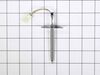
If your appliance isn’t heating or cooling the way it should, this temperature sensor might be the issue. Also known as a thermistor, it helps your appliance stay at the right temperature by working w...
In Stock
Order now and your part arrives by Mar 19
Sold individually.
In Stock
Order now and your part arrives by Mar 19
$128.95
This part is used to generate microwave energy/heat.
In Stock
Order now and your part arrives by Mar 19
In Stock
Order now and your part arrives by Mar 19
In Stock
Order now and your part arrives by Mar 19
$48.36
In Stock
Order now and your part arrives by Mar 19
$42.18
Special Order
In Stock
Order now and your part arrives by Mar 19
$13.60
Special Order
In Stock
Order now and your part arrives by Mar 19
In Stock
Order now and your part arrives by Mar 19

Questions and Answers

Be the first to ask our experts a question about this part!

Common Problems and Symptoms for LWC3063ST

Viewing 8 of 8
No heat
Fixed by these parts
Fixing Fixing Fixing
How to fix it
Won’t turn on
Fixed by these parts
Fixing Fixing
How to fix it
Little to no heat when baking
Fixed by these parts
Fixing
How to fix it
Oven not heating evenly
Fixed by these parts
Fixing
How to fix it
Tray won’t turn
Fixed by these parts
Fixing Fixing
How to fix it
Doesn’t shut off
Fixed by these parts
Fixing
How to fix it
Element will not heat
Fixed by these parts
Fixing
How to fix it
Oven is too hot
Fixed by these parts
Fixing
How to fix it
Keep searches simple. Use keywords, e.g. "leaking", "pump", "broken" or "fit".
Customer:
Joseph from WILTON, NH
Parts Used:
6324W1A001L
Difficulty Level:
A Bit Difficult
Total Repair Time:
1- 2 hours
Tools:
Screw drivers
Magnitron failed
Over the stove microwave installed in top cabinet row.
1. Unplug device.
2. Two people to remove from wall/cabinet (remove two, large, top mounting screws and rotate entire microwave down and off the wall mount). Should be some wood spacers between top of device and bottom of cabinet.
3. Remove screws from sheet metal cover .
4. Remove one screw holding blowers in place and rotate out of the way, in order to gain access to 2 of 5 screws that hold the magnetron in place.
5. Unplug magnetron and remove the 5 screws.
6. Drop in new magnetron and re-assemble microwave in reverse order (steps 5-3).
7. Two people restore micro to wall/cabinet. Replace wood spacers, re-install two, large mounting screws (finger-tight). Test device. Secure the two large screws.
8 of 13 people found this instruction helpful.
Was this instruction helpful to you?
Thank you for voting!
Customer:
Thomas from NEWARK, DE
Parts Used:
6324W1A001L
Difficulty Level:
Easy
Total Repair Time:
15 - 30 mins
Tools:
Screw drivers
Would not heat and made a buzzing or popping sound
Unplug the microwave. Remove the Philips head and safety Torx head screws along the bottom of the sides and rear of the microwave which hold the black cover on. Lift the cover up at the rear and slide it backwards to disengage the tabs on the front top. Remove the cover. Discharge the capacitor by shorting the terminals to each other and then ground. Do this with a well insulated object and be aware there may be a pop when you do this. Keep hands, etc. on the insulated part of the object (screwdriver handle, etc). There's a lot of stored energy in that capacitor. I'd advise first checking the diode to make sure its not bad. Replace it if it is. The Magnatron is held in with a couple of screws on the top and sides. Unplug the connector and remove the screws. Remove the Magnatron. Installation is the reverse of removal.
4 of 7 people found this instruction helpful.
Was this instruction helpful to you?
Thank you for voting!
Customer:
Charles from TARPON SPGS, FL
Parts Used:
6549W1S018C
Difficulty Level:
A Bit Difficult
Total Repair Time:
30 - 60 mins
Tools:
Screw drivers
Turntable stopped turning, tray stopped moving back and forth, and microwave made odd noises.
Unplugged power cord. Unscrewed six screws and removed bottom of microwave, unplugged wire from motor, unscrewed two screws holding motor, replaced with new motor. Put everything back in place, plugged it back in, and it worked good as new.
2 of 2 people found this instruction helpful.
Was this instruction helpful to you?
Thank you for voting!