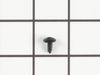
This is a multi-use screw and can be used on a variety of appliances. The measurements of the screw are: 8/18 x 3/8. *Please note: the screw is sold individually. Refer to the manual provided by the m...
This 18 ml bottle of white appliance touch-up paint is used to cover scratches or marks on your appliance. The white touch-up paint can be used on refrigerators, microwaves, ranges, clothes dryers, an...
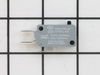
This door interlock switch ensures your microwave operates only when the door is securely closed. It communicates the door’s position to the control board, helping prevent accidental use. It’s often r...
This part is the replacement halogen light bulb for your range. The bulb is 10 watts and 12 volts. The halogen lamp lights up the inside of the oven you can see the cooktop more effectively in darknes...
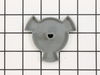
This roller is located underneath the glass turntable. With the help of the motor, this roller helps to rotate the glass tray. This part takes the place of the coupling.
Follow appropriate safety practices when installing your range screw. Sold individually.
In Stock
Order now and your part arrives by Sep 26
Questions and Answers
Ask our experts a question about this part and we'll get back to you as soon as possible!
1 question answered by our experts.
< Prev
1
Next >
Sort by:
Search filter:
Clear Filter
Your search term must have 3 or more characters.
Keep searches simple. Use keywords, e.g. "leaking", "pump", "broken" or "fit".
Sorry, we couldn't find any existing answers that matched. Try using some different or simpler keywords, or submit your new question by using the "Ask a Question" button above!
George
March 20, 2025
Can I remove the microwave ONLY? Can I access internal microwave fuse(s) without complete removal?
For model number WOC95EC0AS00
Hi George,
Thank you for your question. NOTE: If you are not comfortable doing this yourself, please get an electrician to do this repair. Before you begin any repair, please unplug the appliance from the electrical outlet. Use a Phillips head screwdriver to unthread the screws securing the grill. With the screws removed, open the microwave oven door then slide the grill to the left and lift to remove it. Next remove the control panel mounting screw and then lift the control panel up to detach. Then remove the screw holding the inner access panel and then release the panel from the retaining clips. To avoid injury, you will need to release the potentially dangerous charge from the capacitor by placing a screwdriver with an insulated handle across the terminals. Be careful not to touch the metal portion of the tool. Use pliers to detach the old fuse from the noise filter board. Install the new fuse by snapping it into the bracket. Replace the inner access panel and secure it with the screws. Now insert the control panel tabs into the slots in the frame and push the panel down. Secure it with the mounting screw. Insert the tabs of the grill into the frame and slide it to the right. Shut the oven door and then secure the grill with the screws. Plug the power cord back in and the microwave should now work. We hope this helps. Good luck with the repair!
I used a Google search to show how to access the area behind the front panel. There was a folded paper copy with a schematic and wiring diagram in that space.Then I used a multi-meter to determine which of the THREE micro-switches was causing the problem. I called your help line and ordered a replacement switch. The switch was delayed
... Read morein transit so your agent credited me with the cost of shipping.
When the part arrived, it had three terminals instead of two as shown in the on-line picture but that did not cause any difficulty in using it. It took about 20 minutes to remove and replace the old switch.
All seems to be working well now.
Finding which of the THREE switches was the problem was the most difficult part of the repair. All three "clicked" but the defective one did not click as easily. It needed to be depressed more than the door latch can would provide. Old age?
Remove the oven door. Remove 3 self tappers on rear wall of oven to take off a round access panel. Pull out a pre-cut rectangle of insulation. Next I removed the 2 screws holding the sensor in place. Pulling the sensor out a bit told me I was "touching" the correct wires in the SMALL rectangular opening. The wires are not visable and 2 h
... Read moreands do not fit in this small opening.I looked at the NEW sensor to see the release on the sensor plug. Slip the angled needle nose into the opening and grasp the plug/release side. The plug pulled apart easily. The sensor wire pulls out with a little bit of twisting to fit it out the hole. The new plug pushes in and has to be worked down to where you can reach it. The same angled plier works to re-attach it. It takes longer to read this than to do the job. Best of luck, Al