Models > JK3500SF5SS

JK3500SF5SS General Electric Wall Oven

Jump to:

Find Part by Name

Keep searches simple, eg. "belt" or "pump".

Diagrams for JK3500SF5SS

Viewing 7 of 7
Keep searches simple, eg. "belt" or "pump".
$15.26
This screw is sold individually.
In Stock
Order now and your part arrives by May 26
$14.16
Sold Individually.
In Stock
Order now and your part arrives by May 26
This OEM halogen bulb provides warm white light for top-mounted oven lighting. It operates at 120V and 40W, with a G9 base designed for high-heat environments. Ideal for replacing a dim or burnt-out b...
In Stock
Order now and your part arrives by May 26
$15.26
This part is a replacement screw for your oven. It is made of black metal and is sold individually. This screw is approximately 1/4 inch in diameter and about 1/2 inch in length. It is designed to con...
In Stock
Order now and your part arrives by May 26
This temperature sensor helps regulate heat inside the oven by sending temperature readings to the control board. It ensures consistent cooking and helps maintain the set temperature. A faulty sensor ...
In Stock
Order now and your part arrives by May 26
This window pack assembly is designed to enhance the performance and reliability of your appliance. Constructed from durable, high-quality materials, it supports smooth operation and long-lasting func...
In Stock
Order now and your part arrives by May 26
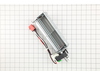
This lower cooling fan circulates air through the oven’s internal components to prevent overheating and maintain stable temperatures. It’s a durable replacement for worn or noisy fans and may help res...
In Stock
Order now and your part arrives by May 26
$27.83
This light switch is controlled by opening and closing the oven door
In Stock
Order now and your part arrives by May 26
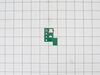
Maintain safe and consistent oven performance with this genuine cooling fan sensor board. This electronic component monitors the cooling fan’s speed and communicates with the main control board to pre...
In Stock
Order now and your part arrives by May 26
In Stock
Order now and your part arrives by May 26
In Stock
Order now and your part arrives by May 26
$15.26
In Stock
Order now and your part arrives by May 26

Questions and Answers

Be the first to ask our experts a question about this part!

Common Problems and Symptoms for JK3500SF5SS

Viewing 3 of 3
Will Not Start
Fixed by these parts
Fixing Fixing Fixing
How to fix it
Oven is too hot
Fixed by these parts
Fixing
How to fix it
Oven not heating evenly
Fixed by these parts
Fixing
How to fix it
Keep searches simple. Use keywords, e.g. "leaking", "pump", "broken" or "fit".
Customer:
Michael from Albuquerque, NM
Parts Used:
WB24T10147
Difficulty Level:
Really Easy
Total Repair Time:
30 - 60 mins
Tools:
Nutdriver
Convection oven fan and door light not working
The first step was to determine whether the problem was with the fan itself or the switch. I did this by opening the back cover and using a Volt meter to verify that the fan was not getting power. (I could have skipped this step.)

Next, I unplugged the range, closed up the back cover and lifted the range hood by removing two he x head screws that are just inside and on either side of the top of the opening in the range door. Propping the hood open, I removed the connector leading to the switch, then pushed the switch out the front. Inspection showed that the switch was damaged so I closed up the range and ordered the part from Part Select. Once the part arrived, it was a 15 minute job to unplug the range, lift the top, install the new switch, and close up the unit.

Caution. On starting to install the switch, I failed to unplug the range and my finger brushed one of the hot contacts leading to the switch. Thankfully, I was not injured. Do not repeat my mistake on this issue. Unplug the range even if you're only installing this simple switch.
18 of 22 people found this instruction helpful.
Was this instruction helpful to you?
Thank you for voting!
Customer:
Andrea from SILVERTON, OR
Parts Used:
WB26X35089, WB27X28659
Difficulty Level:
Easy
Total Repair Time:
30 - 60 mins
Tools:
Nutdriver, Pliers
F97 on right side of double wall oven
My less than 2 year double wall oven was showing a F97 on the right hand side of display screen on my oven, indicating to me it was a lower cooling fan issue. Purchased the parts after a lot of research (and a GE technician telling me over the phone it would be a 600 or more costly repair). I decided to bite the bullet and just do it mys elf to save money! I’m glad I did! I built a table for it to rest on after it got it out of the wall as it’s a heavy oven. I asked my dad to help me get it out and onto the stand. After that, it was a matter of getting to the lower fan through the back abs having to remove some panels. All went well and best part is this fixed it! I figure even if it goes out again in 2 years it’s still cheaper than paying a technician to do it! I’m a woman with zero background in repair but lots of determination and desire to save money! Just do it yourself!
15 of 16 people found this instruction helpful.
Was this instruction helpful to you?
Thank you for voting!
Customer:
Thomas from ROSEVILLE, CA
Parts Used:
WB26X35089, WB27X28659
Difficulty Level:
A Bit Difficult
Total Repair Time:
More than 2 hours
Tools:
Nutdriver, Screw drivers
Double oven was providing a F97 error when we would attempt to pre-heat.
I ordered the fan and the sensor. I had to pull the whole oven out anyway, why not replace both. Bought a piano dolly at Harbor Freight so I could set the oven on something while it was out of the hole. Make sure and remove the oven doors and racks prior to pulling it out. I was not able by myself. A neighbor had to assist. The fan and se nsor are located mid-way up the middle of the rear panel. I just take pictures with my phone as I disassemble so I have a roadmap for reassembly. Once I plugged the fan and sensor in I tested the oven while still out of the hole. I used the vegetable oil to provide a little lubrication to the runners while sliding the oven back in. Works like a charm.
7 of 7 people found this instruction helpful.
Was this instruction helpful to you?
Thank you for voting!