



Models
>
GC900QPPB7
GC900QPPB7 Whirlpool Trash Compactor
Jump to:
Find Part by Name
Keep searches simple, eg. "belt" or "pump".
Keep searches simple, eg. "belt" or "pump".
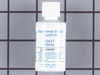
This 18 ml bottle of white appliance touch-up paint is used to cover scratches or marks on your appliance. The white touch-up paint can be used on refrigerators, microwaves, ranges, clothes dryers, an...
No Longer Available

$95.74
Replace your old compactor control panel overlay with this OEM part. It restores a clean appearance and provides a solid surface for efficient compaction. Quick peel-and-stick installation makes it a hassle-free upgrade.
In Stock
Order now and your part arrives by Oct 30
$21.82
This is a genuine OEM replacement part. This is a needle bearing and it is commonly used in trash compactors. This bearing is used in the assembly of the power screw that drives the ram. These bearing...
In Stock
Order now and your part arrives by Oct 30

In Stock
Order now and your part arrives by Oct 30

$53.58
This is an authentic OEM replacement part. This bearing is commonly used in trash compactors. Most often they are found in the power screw assembly, which drives the ram that compacts the trash. We do...
Special Order

On Order
$46.07
This escutcheon is a replacement trim component designed to provide a finished appearance around controls or openings. It is commonly replaced when cracked, scratched, or cosmetically worn. Proper app...
In Stock
Order now and your part arrives by Oct 30
Common Problems and Symptoms for GC900QPPB7
Viewing 1 of 1
Keep searches simple. Use keywords, e.g. "leaking", "pump", "broken" or "fit".
- Customer:
- Michelle from Richardson, TX
- Parts Used:
- 72017
- Difficulty Level:
- Really Easy
- Total Repair Time:
- Less than 15 mins
Scratches in Surface
This product comes in a bottle with a brush like Liquid Paper. It goes on incredibly easy. A second coat might be needed. I wanted to prevent rust from setting in so I covered the scratches and dings. The paint is a little brighter since my washer is 10 years old but it still looks great.
Was this instruction helpful to you?
Thank you for voting!
- Customer:
- Mark from Tewksbury, MA
- Parts Used:
- 777380
- Difficulty Level:
- Really Easy
- Total Repair Time:
- Less than 15 mins
- Tools:
- Screw drivers
My COMPACTOR WOULD NOT TURN ON
I ORDERDED THE SELECTOR SWITCH WHICH SITS BEHIND THE TOUCH PANEL THAT SAYS ON/OFF/START.i REMOVED THE 2 PHILLIPS SCREWS JUST BELOW THE DISPLAY.SLIDE THE WHOLE DISPLAY UP AND IT WILL EXPOSE 3 WIRES AND THE SWITCH.REMOVE THE TWO PHILLIPS SCREWS,REMOVE THE CLEARLY MARKED Y=YELLOW R=RED AND V=VIOLET .INSTALL THE WIRES MOUNT THE SWITCH REPLACE
... Read more
THE TWO SCREWS REINSTALL THE PANEL,HIT START AND GOOD TO GO!
Read less
Was this instruction helpful to you?
Thank you for voting!
- Customer:
- Ken from SOMERSET, NJ
- Parts Used:
- W11050447
- Difficulty Level:
- Easy
- Total Repair Time:
- 30 - 60 mins
- Tools:
- Screw drivers
the operating buttom membrance was cracked
1Turn the compactor off
2Removed the plate on the top of the compactor. Mine was held by 2 screws.
Make note of where the electrical connections are located
3Remove the electrical connections on the operating plate.
4Remove 2 screws holding the plate to the compactor
the unit housing the operating buttons is now f ... Read more ree from the compactor
using a small blade move around the outside of the membrane to release the existing cover
Clean the lip where glue still exists
peel back the plastic cover from the part and press into place
Reverse steps 1,2,3 &4
2Removed the plate on the top of the compactor. Mine was held by 2 screws.
Make note of where the electrical connections are located
3Remove the electrical connections on the operating plate.
4Remove 2 screws holding the plate to the compactor
the unit housing the operating buttons is now f ... Read more ree from the compactor
using a small blade move around the outside of the membrane to release the existing cover
Clean the lip where glue still exists
peel back the plastic cover from the part and press into place
Reverse steps 1,2,3 &4
Read less
Was this instruction helpful to you?
Thank you for voting!