



Models
>
TFX25PABAWW
TFX25PABAWW General Electric Refrigerator
Jump to:
Find Part by Name
Keep searches simple, eg. "belt" or "pump".
Diagrams for TFX25PABAWW
Viewing 6 of 6


Keep searches simple, eg. "belt" or "pump".
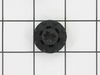
This grommet is found on both the front and back of the fan motor assembly for the condenser and the evaporator in your fridge. It is used to provide a buffer between the fan motor and the mounting br...
In Stock
Order now and your part arrives by Oct 18
$21.95
This 40-Watt light bulb is sold individually.
It is specially designed to withstand extreme temperatures, so this bulb is compatible with a variety of appliance types including refrigerators, ranges,...
In Stock
Order now and your part arrives by Oct 18
In Stock
Order now and your part arrives by Oct 18
In Stock
Order now and your part arrives by Oct 18
$287.27
This part comes with 3 round pin connection terminals.
This fan motor circulates the air through the refrigerator grille and cools the compressor and condenser coils. It also helps to evaporate extra...
In Stock
Order now and your part arrives by Oct 18

In Stock
Order now and your part arrives by Oct 18

This is used for the side by side refrigerators/freezers.
No Longer Available
In Stock
Order now and your part arrives by Oct 18
Common Problems and Symptoms for TFX25PABAWW
Viewing 4 of 4Noisy
Fixed by these parts
How to fix it
Fridge too warm
Fixed by these parts
How to fix it
Freezer section too warm
Fixed by these parts
How to fix it
Clicking sound
Fixed by these parts
How to fix it

Keep searches simple. Use keywords, e.g. "leaking", "pump", "broken" or "fit".
- Customer:
- Kimberly from Grandy, NC
- Parts Used:
- WR60X187
- Difficulty Level:
- Really Easy
- Total Repair Time:
- 15 - 30 mins
- Tools:
- Screw drivers
Panel hot to touch between freezer & refrigerator. Motor hot, fan not rotating.
Unplugged refrigerator, removed three screws to take out part, disconnected the wires and removed bad unit. Removed fan blade from old unit and attached to the new unit. Attached wires, placed the new motor back in. Plugged it back in, within 20 minutes panel between freezer and refrigerator was cool to touch.
Was this instruction helpful to you?
Thank you for voting!
- Customer:
- CHRIS from LAGUNA NIGUEL, CA
- Parts Used:
- WR60X187
- Difficulty Level:
- Difficult
- Total Repair Time:
- 1- 2 hours
- Tools:
- Nutdriver, Pliers, Screw drivers
Compressor overheating - Fridge not Cooling
Condensor Fan not turning. I thought it would be an easy fix. I thought I could pull off the shroud and fan assy - no joy. Too many copper pipes and lots of tubing in the way. It took 90 minutes to remove and 30 minutes to install. The BIG hint here is to loosen the shoud, pull it back as far as you can and then remove the nut that holds
... Read more
the fan blade in place. THEN you can remove the motor. Get the new motor back into the shroud, get the blade back on and then tighten the shroud back up.
Read less
Was this instruction helpful to you?
Thank you for voting!
- Customer:
- PERRY from VANDERBILT, MI
- Parts Used:
- WR60X187
- Difficulty Level:
- Easy
- Total Repair Time:
- More than 2 hours
- Tools:
- Nutdriver, Wrench set
Noisey Motor, Bearings Out, Dying
Remove back cover, exposing fan motor. Turn off power, remove nut on fan blades. Remove fan carefully, do not bend. Unhook wiring harness. Remove three screws that hold the motor on the back frame. Remove old motor, install new. Carefully, reinstall fan blades, hook up wiring, and your ready for tryout. Also do some cleaning whil
... Read more
e your there. Clean old fan blades with hot soapy water or contact cleaner. Everything runs better clean!
Read less
Was this instruction helpful to you?
Thank you for voting!