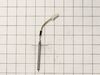
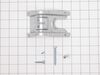
This oven temperature sensor helps regulate heat by detecting the internal temperature during cooking. It includes a 3.9-inch probe, a 3.2-inch wire harness, and a 1.7-inch support bracket. If your ov...
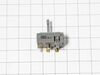
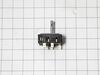
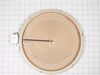
This infinite switch, also known as a regulator control, is designed for triple burner elements in compatible range ovens. Located within the control panel, it manages the operation of the surface ele...
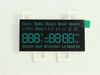
This display board is for ranges.
Display board receives signals from the control board and displays the time and temperature settings.
Unplug the range or shut off the circuit breaker before in...
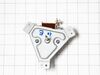
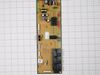
This main control board, also known as the PCB assembly, is a critical component for managing the core functions of select Samsung range ovens. It receives input from internal temperature sensors and ...
Ask our experts a question about this part and we'll get back to you as soon as possible!
2 questions answered by our experts.
< Prev
1
Next >
Sort by:
Search filter:
Clear Filter
Your search term must have 3 or more characters.
Keep searches simple. Use keywords, e.g. "leaking", "pump", "broken" or "fit".
Sorry, we couldn't find any existing answers that matched. Try using some different or simpler keywords, or submit your new question by using the "Ask a Question" button above!
April
May 11, 2022
Front left burner uncontrolled heating, I am sure it would melt the top if I did not shut it down
For model number NE59J7630SG
Hello April, Thank you for the question. This is normally caused by a faulty Switch that controls the Burner Element. We have researched the model you have provided and have found the part you are looking for is Fix Number: FIX8764900. If you need help placing an order, customer service is open 7 days a week. Please feel free to give us a call. We look forward to hearing from you!
There are 2 triple burners on my stove. 1 is 3300 watts,and 1 is 3000 watts.. do you have both of them ?
For model number NE59J7630SG
Hello Robert, thank you for reaching out. We have researched and found the parts you are looking for, the 3300 watts element part number is FIX11720672, and the 3000 watts element part number is FIX11720670. If you require assistance placing an order, please contact customer service. We hope that helps!
My barely 4 year old Samsung range/oven began not heating consistently. Even though it said 350, for example, we had to increase to 465 to get it to bake. Thought it was the temperature sensor. Ordered and installed new one easily. That didn't solve the problem. So, rather than throw more money at parts that may not have resolved the
... Read moreissue, I got a new Amana range. Samsung appliances go to my 'do not buy' list along with LG!
I removed the control panel with a Phillips screwdriver and unplugged the burner switch and replaced the new switch and put the control panel back in place and turned on the burner and it worked as it should.i realized that I only would have only had to remove the 4 screws on the bottom of the control panel. All I would have had to do was
... Read more just take those 4 screws out and remove the switch control knob and the two screws that held the switch in. Am very happy with the results
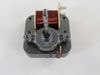
This oven has two fans that counter rotate. One spins clockwise, the other counterclockwise. Because of this, the motors and the fan blades are different. The schematic shows the counter clockwise rotating fan with a right hand threaded shaft/nut on the bottom and the clockwise motor and fan with the left hand nut on the top. My range
... Read more had the motors in the exact opposite orientation, but the fan blades on the motors as shown on the schematic. The incorrect assembly at the factory (I bought new in the box, so I know this is the first repair) meant that nether fan blade was turning the correct direction. So do yourself a favor, be sure you’re buying the right motor (clockwise or counterclockwise) and be sure you put the right fan blade on the right motor. The Samsung motor ending in F is the counterclockwise motor that has the right hand threaded shaft the clockwise motor with the left hand threaded shaft ends in E.