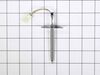
If your appliance isn’t heating or cooling the way it should, this temperature sensor might be the issue. Also known as a thermistor, it helps your appliance stay at the right temperature by working w...
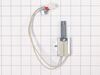
This gas range oven igniter is compatible with various models of LG gas ranges. It is made up of the igniter element, wire harness, connector and mounting bracket. The igniter is responsible for gener...
This surface burner cap is a genuine replacement part designed to cover the burner head on your gas range, helping ensure even flame distribution for consistent cooking results. Its durable, heat-resi...
Ask our experts a question about this part and we'll get back to you as soon as possible!
2 questions answered by our experts.
< Prev
1
Next >
Sort by:
Search filter:
Clear Filter
Your search term must have 3 or more characters.
Keep searches simple. Use keywords, e.g. "leaking", "pump", "broken" or "fit".
Sorry, we couldn't find any existing answers that matched. Try using some different or simpler keywords, or submit your new question by using the "Ask a Question" button above!
Jessica
December 27, 2025
Only the bake button works I can not set temp or press start
For model number LRGL5823S
Hi Jessica, thank you for your inquiry. According to the issue description, if you cannot set the temperature or press start, indicates a likely problem with the oven control board, part number FIX16223046. Glad to be of help!
No matter what feature we use: bake, Air fry, conv bake. It’s a 50/50 the oven will actually heat up. No rhyme or reason as to weather or not it will work and the solution is to just turn it off and try again until it works.
For model number LRGL5823S
Hi Thomas, thank you for reaching out. Based on your description, the problem is likely related to the gas safety valve, part number FIX11762077. It may be sticking internally due to wear or a weakened solenoid coil that intermittently fails to pull the plunger open. This creates a "hit or miss" scenario where the igniter glows perfectly, but a mechanical blockage prevents gas flow until multiple attempts eventually jar the valve into opening. You may need to replace it. Good luck with this repair!
Took off the oven door then took out the racks and two screws in the oven bottom and removed it . Then removed the heat deflector. Then un plugged the old igniter and removed the burner to make it easier to remove the old igniter. Then installed the new igniter and reversed the process
Go onto youtube, such as https://www.youtube.com/watch?v=-ITkrwhDNMQ and watch similar videos for DYI. The process is very similar to other models.
Once the door is removed, place oven door on a towel or soft place so it does not scratch the door. Unscrew the screws and make sure you notice where each screw goes, so you know
... Read morethe process of where each screw goes when you re-assemble.
Once the inner cover is removed, remove the insulation, too so you don't damage it. Use Wet/Dry Shop Vac to clean the shattered glass. (WORD OF ADVICE: I did not remove the insulation and the suction of the Shop Vac removed part of the insulation, so now instead of a quick turn around repair turns into a few weeks repair, because the insulation is on back order 10-14 days from the supplier. DON"T MAKE THE SAME MISTAKE!)
Once the glass has been removed, the new inner glass is replaced, begin by re-assemble the oven door with the correct screws and attached the oven door to the range.
This is a gas stove with 110v electric. Unplug cord before beginning.
Remove back cover. There Phillip approx 15 Phillips screws. Back cover slides up off of tabs to remove .
You need to get the main board out of the way to get to the Display PCBA. There were three wiring harness connectors on the right side of t
... Read morehe board you need to disconnect which allows the Board to slide out to the right. Use plastic pry bar to pop tabs slightly on top and right side of board that will allow you to slide the board out to the right. You need to take care to not break these tabs.
I did not disconnect the other wiring harnesses on left side of board. I lifted the board and laid it out of the way on the top of the back of stove. I held it in place with a piece of duct tape holding it to top by wiring harness to give me room.
Now you have access to the Display PCBA. This board is held in place by 5 screws. Remove screws and place new board in place with the 5 screws.
Now put the main board back in place by sliding in place from right to left and under the tabs on all sides. This is a little tricky but with a plastic pry bar and going slowly not to difficult. Be careful not to pinch wires behind the main board. There are relief openings that wiring should be routed through.
Plug the cord back in and make sure all is working on the Display and push buttons on front pad.
Finally place the back cover on and secure with screws.