




Models
>
JVM1640AJ
JVM1640AJ (AA1EGEU) LG Range
Jump to:
Find Part by Name
Keep searches simple, eg. "belt" or "pump".
Diagrams for JVM1640AJ
Viewing 9 of 9


Keep searches simple, eg. "belt" or "pump".
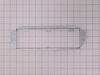
$16.75
This bracket holds the metal or plastic flapper that closes off the exhaust duct when the fan is not running and opens when the fan turns on. If the exhaust fan on your microwave does not appear to be...
Special Order

Special Order
In Stock
Order now and your part arrives by Mar 26
In Stock
Order now and your part arrives by Mar 26
Special Order
In Stock
Order now and your part arrives by Mar 26

Special Order
Special Order
Special Order
In Stock
Order now and your part arrives by Mar 26
In Stock
Order now and your part arrives by Mar 26
In Stock
Order now and your part arrives by Mar 26
Questions and Answers
We're sorry, but our Q&A experts are temporarily unavailable.
Please check back later if you still haven't found the answer you need.
Common Problems and Symptoms for JVM1640AJ
Viewing 4 of 4Won’t turn on
Fixed by these parts

How to fix it
No heat
Fixed by these parts

How to fix it
Tray won’t turn
Fixed by these parts


How to fix it
Door not closing properly
Fixed by these parts

How to fix it
Keep searches simple. Use keywords, e.g. "leaking", "pump", "broken" or "fit".
- Customer:
- Roy from MILLINGTON, TN
- Parts Used:
- 3500W1A013R
- Difficulty Level:
- Really Easy
- Total Repair Time:
- 1- 2 hours
- Tools:
- Pliers, Screw drivers
Micro Wave no heat all else fine. Also at times door would not shut properly.
Replace (after testing w/ohm meter) diode and locker holder. My door often would not close properly. Microwave let know by saying not shut properly. When disassembled found the top screw mount was hollowed out resulting in it moving on occasion when you close door. First remove casing (special safety torx head) needed for rear screws.
... Read more
Onc e removed all parts available to view or work on. Diode is on the capacitor so caution is needed when removing. Serious shock hazard if touched. Use insulated pliers to remove from capacitor and a phillips on the ground. Test with ohm meter Should have resistance on way and non the opposite. Replaced mine bad. Next the holder 2 phillips screws and its yours. Unplug each switch and remove. Take note to what wires go to what switch and what switch mounts where. Mine had 3 switches. Removed from old holder and put in new. Screwed holder back in place and left scrws loose till re wired. Once wired set the holder by lightly tighting the screws. Try the door till it seats properly ensuring that all 3 switches are working properly. If so thighten screws. If all seems to work as advertised, safely plug in and test unit if heats up un plug and put cover back on micro. Your all set. Happy heating.
Read less
Was this instruction helpful to you?
Thank you for voting!
- Customer:
- Christopher from SHERWOOD, OR
- Parts Used:
- 6930W1A003J
- Difficulty Level:
- Easy
- Total Repair Time:
- 1- 2 hours
- Tools:
- Pliers, Screw drivers
The Microwave was completely dead and wouldn't run, light up or anything.
I followed an old appliance repair forums post from 2008 that discussed this exact common issue with this LG model. It took me quite a while to find the info. Then I used the schematic diagrams on your website to find where the part was located inside the microwave. I removed the outer cover. I tested all components including the thermost
... Read more
at for continuity with a multimeter. I discovered there wasn't any continuity in the thermostat so ordered the part and replaced it. Everything works like a charm! Thanks for the great, fast service.
Read less
Was this instruction helpful to you?
Thank you for voting!
- Customer:
- larry from LUCERNE, CA
- Parts Used:
- 0CZZW1H004C
- Difficulty Level:
- Really Easy
- Total Repair Time:
- 30 - 60 mins
- Tools:
- Pliers, Screw drivers
blew fuse
tested cap. with ohm meter which showed a short. A new HV cap., a fuse and it is working fine again.
Was this instruction helpful to you?
Thank you for voting!