



Models
>
MA900WM
MA900WM LG Microwave
Jump to:
Find Part by Name
Keep searches simple, eg. "belt" or "pump".
Keep searches simple, eg. "belt" or "pump".

On Order

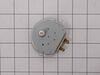
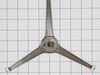
If the turntable on your microwave does not rotate, or you can hear a grinding noise, the problem may be with the motor. The motor is typically located below the floor of the oven, and is accessed thr...
In Stock
Order now and your part arrives by Nov 12

In Stock
Order now and your part arrives by Nov 12

In Stock
Order now and your part arrives by Nov 12


In Stock
Order now and your part arrives by Nov 12

Special Order

In Stock
Order now and your part arrives by Nov 12


Special Order


In Stock
Order now and your part arrives by Nov 12
Common Problems and Symptoms for MA900WM
Viewing 3 of 3Tray won’t turn
Fixed by these parts
How to fix it
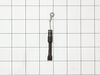
No heat
Fixed by these parts
How to fix it
Noisy
Fixed by these parts
How to fix it
Keep searches simple. Use keywords, e.g. "leaking", "pump", "broken" or "fit".
- Customer:
- Susan from HENDERSON, NV
- Parts Used:
- 6549W1S013H
- Difficulty Level:
- Really Easy
- Total Repair Time:
- 15 - 30 mins
- Tools:
- Screw drivers
microwave dish would not move back and forth
unscrewed the bottom of the microwave and unplugged old part then took the screw out and put new one in. Super easy!
Was this instruction helpful to you?
Thank you for voting!
- Customer:
- Andrea from Fanning Springs, FL
- Parts Used:
- 6912W3B002L
- Difficulty Level:
- Very Easy
- Total Repair Time:
- 15 - 30 mins
- Tools:
- Screw drivers
Light bulb went out
Remove screws, take microwave cover off. Pull light assembly and unplug bulb. Replace with new bulb and snap back in place. Screw cover on and your done.
Was this instruction helpful to you?
Thank you for voting!
- Customer:
- RICHARD from CARY, NC
- Parts Used:
- 6549W1S013H
- Difficulty Level:
- Easy
- Total Repair Time:
- 15 - 30 mins
- Tools:
- Screw drivers
microwave turn table not working
Removed the phillips screws from the base.
Using a # 10 secure driver, remove the motor. (I recommend obtaining a secure star driver set to be sure you have the right size)
Replace the spacer, which is a separate part from the motor.
Reinstall the spacer and motor.
Reinstall the bottom panel. ... Read more
Enjoy!
Using a # 10 secure driver, remove the motor. (I recommend obtaining a secure star driver set to be sure you have the right size)
Replace the spacer, which is a separate part from the motor.
Reinstall the spacer and motor.
Reinstall the bottom panel. ... Read more
Enjoy!
Read less
Was this instruction helpful to you?
Thank you for voting!