

Models > MV1642AD

MV1642AD LG Microwave

Jump to:

Find Part by Name

Keep searches simple, eg. "belt" or "pump".
Sold individually.
Special Order
In Stock
Order now and your part arrives by Mar 23
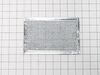
This is the replacement charcoal filter for your microwave. It is approximately 8 inches by 5 inches. The charcoal filter removes cooking odors from the air that circulate through the microwave vent. ...
Special Order
This bracket holds the metal or plastic flapper that closes off the exhaust duct when the fan is not running and opens when the fan turns on. If the exhaust fan on your microwave does not appear to be...
Special Order
This mounting plate is a manufacturer-approved replacement part for your microwave. The mounting plate, or bracket, secures your above-range microwave in place against the wall. To conduct this repair...
In Stock
Order now and your part arrives by Mar 23
This turntable assembly, also known as a rotating ring, is a genuine OEM replacement part for your microwave. It is brown in color and about 10 inches in diameter. This part supports the glass turntab...
In Stock
Order now and your part arrives by Mar 23
This is a microwave installation hardware kit, it includes all of the hardware you'll need to mount the appliance over a range, or into a cabinet. To install, please carefully follow the instructions ...
In Stock
Order now and your part arrives by Mar 23
No Longer Available
This genuine LG microwave oven magnetron is the key component that generates the microwaves needed to heat food efficiently. Designed for a precise fit in many LG models, it converts electrical energy...
In Stock
Order now and your part arrives by Mar 23
$42.18
Special Order
This microwave door frame assembly forms the inner structural support of the door, securely holding the glass, gasket, and latch components in proper alignment. It plays an important role in ensuring ...
In Stock
Order now and your part arrives by Mar 23
In Stock
Order now and your part arrives by Mar 23

Questions and Answers

Be the first to ask our experts a question about this part!

Common Problems and Symptoms for MV1642AD

Viewing 3 of 3
No heat
Fixed by these parts
Fixing Fixing Fixing
How to fix it
Tray won’t turn
Fixed by these parts
Fixing
How to fix it
Won’t turn on
Fixed by these parts
Fixing
How to fix it
Keep searches simple. Use keywords, e.g. "leaking", "pump", "broken" or "fit".
Customer:
Jimmy from OZARK, MO
Parts Used:
3501W1A019D
Difficulty Level:
Easy
Total Repair Time:
30 - 60 mins
Tools:
Pliers, Screw drivers
One of the switches in a component that door activates when shut.
I replaced the whole component with all three switches in it even though only one switch was bad . Taking out one switch out of the holder unit would probably have damaged the unit that was holding the switches. Easy install and it works great again .
9 of 11 people found this instruction helpful.
Was this instruction helpful to you?
Thank you for voting!
Customer:
James from VIRGINIA BCH, VA
Parts Used:
3501W1A019D
Difficulty Level:
Really Easy
Total Repair Time:
30 - 60 mins
Tools:
Screw drivers
would not start.
diagnosed defective 'door-shut switch' in the switch holder assembly. rather than replace switch, replaced entire locker holder assembly which made for a very simple and easy repair...not to mention very inexpensive.
8 of 10 people found this instruction helpful.
Was this instruction helpful to you?
Thank you for voting!
Customer:
Barbara from Philadelphia, PA
Parts Used:
3501W1A019D
Difficulty Level:
Really Easy
Total Repair Time:
15 - 30 mins
Tools:
Screw drivers
Microwave not heating, everything else works
Not knowing which of the switches to replace I ordered all three in the assembly. Replacing the full assembly was easy, first unplug the microwave. Then remove the top cover to access the screws that hold the control panel in place and let the control panel hang. There are two screws that hold the assembly in place - remove those. I u sed needle nose pliers to pull the wires off of the switches and immediately put the wires on to the new assembly so there was no confusion on what wire went where. Place the assembly back in position, replace the two screws to hold it in, put control panel in place and secure screws. Replace top cover and plug in.
5 of 5 people found this instruction helpful.
Was this instruction helpful to you?
Thank you for voting!