




Models
>
JVM3160DF3WW
JVM3160DF3WW General Electric Microwave
Jump to:
Find Part by Name
Keep searches simple, eg. "belt" or "pump".
Diagrams for JVM3160DF3WW
Viewing 4 of 4


Keep searches simple, eg. "belt" or "pump".
$27.76
The charcoal filter in your microwave is used to remove cooking odors from the air as they circulate through the microwave vent. The filter will last between six months to one year, depending on how o...
In Stock
Order now and your part arrives by Mar 20

$38.06
This is a genuine OEM 40-watt light bulb for your microwave. The bulb is used inside the microwave and lights up when the door is open or when operating. The bulb can also be found underneath the micr...
In Stock
Order now and your part arrives by Mar 20
$57.07
Made from durable ABS plastic, this white door handle support secures the microwave handle to the door. It helps ensure proper door function and alignment. If broken, it can affect how the door closes...
In Stock
Order now and your part arrives by Mar 20
On Order
$48.36
This light socket is for your microwave and is designed to hold the light bulb. If the light bulb is not working, and the bulb has not burned out, it may be a problem with the light socket. This part ...
In Stock
Order now and your part arrives by Mar 20
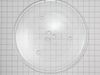
$129.82
This 13.5-inch tempered glass turntable tray helps ensure even heating in your microwave. It fits securely on the rotating support thanks to three grooves underneath and is compatible with many GE and...
In Stock
Order now and your part arrives by Mar 20
In Stock
Order now and your part arrives by Mar 20

$44.24
This thermostat activates the cooling fan to prevent overheating. Shutdowns or nonfunctional fans may indicate a failing thermostat.
In Stock
Order now and your part arrives by Mar 20
$54.01
This 20A, 125V fast-blow glass fuse protects your microwave from power surges and electrical faults. It fits select models from GE, Hotpoint, and Frigidaire and measures approximately 6x30mm. Replace ...
In Stock
Order now and your part arrives by Mar 20
On Order
In Stock
Order now and your part arrives by Mar 20
In Stock
Order now and your part arrives by Mar 20
Questions and Answers
We're sorry, but our Q&A experts are temporarily unavailable.
Please check back later if you still haven't found the answer you need.
Common Problems and Symptoms for JVM3160DF3WW
Viewing 2 of 2Won’t turn on
Fixed by these parts


How to fix it
Door not closing properly
Fixed by these parts


How to fix it

Keep searches simple. Use keywords, e.g. "leaking", "pump", "broken" or "fit".
- Customer:
- Margaret from TOANO, VA
- Parts Used:
- WB25X10030
- Difficulty Level:
- Easy
- Total Repair Time:
- Less than 15 mins
- Tools:
- Screw drivers
bulb burned out under the microwave that lights the cooktop underneath
got a screwdriver and opened the glass door over the light bulb - changed the bulb and put the glass door back with the screwdriver.
Was this instruction helpful to you?
Thank you for voting!
- Customer:
- Charles from CLAYTON, NJ
- Parts Used:
- WB06X10610
- Difficulty Level:
- Really Easy
- Total Repair Time:
- 30 - 60 mins
- Tools:
- Screw drivers
Tripping circuit breaker, broken micro switch locking pin
1. Unplug unit
2. Open door, remove two screws above the top trim piece, slide and remove trim.
3. Remove screw behind control board and top left corner, then release from position.
3b. Unplug all wire terminations and set control panel aside.
4. Remove two screws securing latch board, lift and rotate board ... Read more out of position, remove three micro switches, xfer monitor switch actuator from lower pin in old board and insert in new. Install new door switches and reverse procedure to complete repair.
Note 1. Take care to located new latch board so holding tabs line up, pass through frame, and openings for door tangs line up with openings in frame before securing with screws.
Note 2. A long magnetic screwdriver is helpful.
2. Open door, remove two screws above the top trim piece, slide and remove trim.
3. Remove screw behind control board and top left corner, then release from position.
3b. Unplug all wire terminations and set control panel aside.
4. Remove two screws securing latch board, lift and rotate board ... Read more out of position, remove three micro switches, xfer monitor switch actuator from lower pin in old board and insert in new. Install new door switches and reverse procedure to complete repair.
Note 1. Take care to located new latch board so holding tabs line up, pass through frame, and openings for door tangs line up with openings in frame before securing with screws.
Note 2. A long magnetic screwdriver is helpful.
Read less
Was this instruction helpful to you?
Thank you for voting!
- Customer:
- Jared from SIERRA VISTA, AZ
- Parts Used:
- WB02X11550
- Difficulty Level:
- Easy
- Total Repair Time:
- 15 - 30 mins
Had to replace charcoal filter
Open the front cover by pushing it at the top (where it says “Push”), lifting up and pushing back on top edge of the old filter. Pull it out. Installing the new one is basically just the reverse of those steps! That simple.
Old filter did seem to be a little thicker (filter material), but the new one was the exact same dimen ... Read more sions, so it went in properly. Wish the filter material was white, so you knew just how dirty it was actually getting. But... :-D
Old filter did seem to be a little thicker (filter material), but the new one was the exact same dimen ... Read more sions, so it went in properly. Wish the filter material was white, so you knew just how dirty it was actually getting. But... :-D
Read less
Was this instruction helpful to you?
Thank you for voting!