

Models > JE620WF001

JE620WF001 General Electric Microwave

Jump to:

Find Part by Name

Keep searches simple, eg. "belt" or "pump".

Diagrams for JE620WF001

Viewing 1 of 1
Keep searches simple, eg. "belt" or "pump".
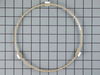
This roller guide sits underneath the glass turntable tray.
No Longer Available
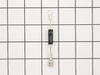
This part allows power to go one way only.
In Stock
Order now and your part arrives by Mar 19
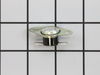
Also known as a Sensor or Fuse. This part will trip once the inside of the cavity overheats and exceeds the recommended temperature.
No Longer Available
Special Order
$26.73
In Stock
Order now and your part arrives by Mar 19
$25.15
Special Order
$38.06
Special Order
No Longer Available
$18.85
Special Order
Special Order
$22.00
Special Order
Special Order

Questions and Answers

Be the first to ask our experts a question about this part!

Common Problems and Symptoms for JE620WF001

Viewing 3 of 3
No heat
Fixed by these parts
Fixing
How to fix it
Won’t turn on
Fixed by these parts
Fixing Fixing
How to fix it
Tray won’t turn
Fixed by these parts
Fixing Fixing
How to fix it
Keep searches simple. Use keywords, e.g. "leaking", "pump", "broken" or "fit".
Customer:
Theodore from Medical Lake, WA
Parts Used:
WB27X10597
Difficulty Level:
Really Easy
Total Repair Time:
Less than 15 mins
Tools:
Screw drivers
Not working as far as heating or cooking
Replaced High Voltage Diode. Very carfully due to the extream danger of a electrical shock.
151 of 361 people found this instruction helpful.
Was this instruction helpful to you?
Thank you for voting!
Customer:
Steve from Redmond, WA
Parts Used:
WB27X10985
Difficulty Level:
Easy
Total Repair Time:
15 - 30 mins
Tools:
Screw drivers
Microwave dead--no LEDs lit on front panel
Removed microwave from enclosure and removed cover, hoping it was as simple as a blown fuse. Found extremely helpful diagnostic sheet thoughtfully provided by manufacturer in an envelope affixed to top of cavity. Fuse was fine, but tracing the power feed into the machine revealed that the oven cavity thermostat was open--no continuity acr oss it, and the diagnostic sheet indicated that it was non-resettable. Verified the issue by temporarily by-passing the blown thermostat to ascertain that the front panel display got power. It took longer to get the screws for the cover and enclosure back on than it did to replace the thermostat, once I received the replacement part. Microwave works just fine now, thanks!
37 of 45 people found this instruction helpful.
Was this instruction helpful to you?
Thank you for voting!
Customer:
Mark from South Jordan, UT
Parts Used:
WB27X10985
Difficulty Level:
Really Easy
Total Repair Time:
Less than 15 mins
Tools:
Screw drivers
while cooking a big dish of food, the microwave just stopped and went black
Fortunately, my brother-in-law suggested it might be the "cut out" switch. After unplugging the microwave, I opened it up and identified one of two cut outs and removed the wires from each side of the cut out. To test if that was the problem, I connected the two wires together, bypassing the cut out. When I plugged the unit back into t he wall socket, the lights came back on, and i ran the microwave for a few seconds. It verified that this was the problem. I ordered the part and when it arrived, I removed it with a philips screw driver and replaced it with the new one. I replaced the screw, buttoned the unit back up, plugged it in, and saved a few hundred bucks on a replacement microwave, and as important, saved our landfills and planet a tiny but.
19 of 21 people found this instruction helpful.
Was this instruction helpful to you?
Thank you for voting!