Models > PEM31SF4SS

PEM31SF4SS General Electric Microwave

Jump to:

Find Part by Name

Keep searches simple, eg. "belt" or "pump".

Diagrams for PEM31SF4SS

Viewing 3 of 3
Keep searches simple, eg. "belt" or "pump".
In Stock
Order now and your part arrives by May 17
This waveguide cover protects the microwave’s internal components by shielding the magnetron from moisture, grease, and food splatters, helping prevent sparking and ensuring efficient heating. Made fr...
In Stock
Order now and your part arrives by May 17
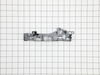
The door interlock switch bracket houses and supports the door switches.
In Stock
Order now and your part arrives by May 17
In Stock
Order now and your part arrives by May 17
$39.63
In Stock
Order now and your part arrives by May 17
$53.58
Special Order
In Stock
Order now and your part arrives by May 17
$18.54
Special Order
In Stock
Order now and your part arrives by May 17
$54.12
Special Order
In Stock
Order now and your part arrives by May 17
$27.28
THERMOSTAT 110/0 *H
Special Order

Questions and Answers

Be the first to ask our experts a question about this part!

Common Problems and Symptoms for PEM31SF4SS

Viewing 3 of 3
Door stuck closed
Fixed by these parts
Fixing
How to fix it
Noisy
Fixed by these parts
Fixing
How to fix it
Sparking
Fixed by these parts
Fixing
How to fix it
Keep searches simple. Use keywords, e.g. "leaking", "pump", "broken" or "fit".
Customer:
Jay from WESLEY CHAPEL, FL
Parts Used:
WB14X10049
Difficulty Level:
Really Easy
Total Repair Time:
1- 2 hours
Tools:
Screw drivers
Door locks. Not opening.
Slide a Butter knife at left side by open push knob door will open. Then open all screws from top cover push cover top side front way then door locks Bracket have 3 microswitch pulls out switches mark them top medium and bottom. Remove 3 screws holding brackets will come out. On bottom see a Cam has 1/4” holes can holding Saft broken then install new door lock bracket install microswitch put 3screw and slide Cam on saft . I put a small screw on saft to hold cam on place. There was no screw . That’s why cam saft was broke. Put top cover tight all the screws and door lock fixed.
4 of 7 people found this instruction helpful.
Was this instruction helpful to you?
Thank you for voting!
Customer:
Tom from NEWPORT, RI
Parts Used:
WB56X33573
Difficulty Level:
A Bit Difficult
Total Repair Time:
30 - 60 mins
Tools:
Screw drivers
LED display dropping pixels
Unplug the power cord.
Place the microwave on a table
Remove the 4 plastic caps on the top of the unit.
Remove the philips screws and star screws from the back of the unit.
Remove the philip screw on the side of the unit.
Remove the back panel from the unit. The control panel is not visable.
Remove the cables that attach to the control panel.
Remove the philip screw at the top of the control panel.
Remove the control panel from the unit.
Reverse this procedure to complete the install.
1 person found this instruction helpful.
Was this instruction helpful to you?
Thank you for voting!
Customer:
Jason from KIRKLAND, WA
Parts Used:
WB39X10034
Difficulty Level:
Really Easy
Total Repair Time:
Less than 15 mins
Installed waveguide
Inserted the waveguide into the slots on the side of microwave.
1 of 2 people found this instruction helpful.
Was this instruction helpful to you?
Thank you for voting!