




Models
>
JES1288SH03
JES1288SH03 General Electric Microwave
Jump to:
Find Part by Name
Keep searches simple, eg. "belt" or "pump".
Diagrams for JES1288SH03
Viewing 1 of 1
Manuals & Guides for JES1288SH03
Click to downloadKeep searches simple, eg. "belt" or "pump".
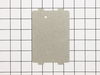
This part is the replacement wave guide cover for your microwave. It is gray in color and is approximately 3 ½ inches long and 5 inches wide. It has two small tabs at the top that allow it to lock int...
No Longer Available
In Stock
Order now and your part arrives by Mar 28
Special Order

Questions and Answers
We're sorry, but our Q&A experts are temporarily unavailable.
Please check back later if you still haven't found the answer you need.
Common Problems and Symptoms for JES1288SH03
Viewing 2 of 2


Keep searches simple. Use keywords, e.g. "leaking", "pump", "broken" or "fit".
- Customer:
- CHARLES from LAKE ARIEL, PA
- Parts Used:
- WB27X10568
- Difficulty Level:
- Easy
- Total Repair Time:
- 30 - 60 mins
- Tools:
- Screw drivers
Microwave oven was completely dead.
Continuity checks showed the flame sensor was open. Schematic notes it opens at 217 degrees and closes at 30 degrees. Removed sensor and placed in freezer for twenty minutes. Tested sensor and it was now closed, reinstalled and microwave worked normally. Ordered new sensor in case the original is operating at too low a temperature.
Was this instruction helpful to you?
Thank you for voting!
- Customer:
- JULIE from MACON, GA
- Parts Used:
- WB06X10591
- Difficulty Level:
- Really Easy
- Total Repair Time:
- Less than 15 mins
Microwave Was Popping And Shooting Fire Sparks
I removed the plastic plug that held the wavecover in place and pulled the wavecover off. I replaced with new cover and it worked perfect.
Was this instruction helpful to you?
Thank you for voting!
- Customer:
- Michael from Astoria, NY
- Parts Used:
- WB27X10568
- Difficulty Level:
- Really Easy
- Total Repair Time:
- Less than 15 mins
- Tools:
- Screw drivers
The display was off and no buttons were working
I took the cover off and followed the electric current to see if it got as far as the display.
I did not get past the thermostat shut off where the current stoped. I jumped the thermostat and the unit worked. The part was so inexpensive that I decided to replace it rather than try and freeze the old one in hopes of "reseting" it.
I did not get past the thermostat shut off where the current stoped. I jumped the thermostat and the unit worked. The part was so inexpensive that I decided to replace it rather than try and freeze the old one in hopes of "reseting" it.
Was this instruction helpful to you?
Thank you for voting!