




Models
>
DOP36C86DLS
DOP36C86DLS ((DA)(0000)) Samsung Microwave Oven Combo
Jump to:
Find Part by Name
Keep searches simple, eg. "belt" or "pump".
Diagrams for DOP36C86DLS
Viewing 1 of 1
Keep searches simple, eg. "belt" or "pump".
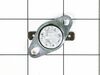
In Stock
Order now and your part arrives by Apr 2
In Stock
Order now and your part arrives by Apr 2
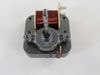
In Stock
Order now and your part arrives by Apr 2
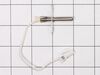
$148.86
This oven temperature sensor plays a critical role in maintaining consistent cooking performance by monitoring the internal temperature and relaying that data to the control board. By regulating the h...
In Stock
Order now and your part arrives by Apr 2
$103.90
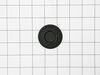
This surface burner cap (part number DG62-00137A) is for ranges. Surface burner cap DG62-00137A fits on top of the burner head. The burner cap protects the burner head from spills and helps spread out...
In Stock
Order now and your part arrives by Apr 2
In Stock
Order now and your part arrives by Apr 2
In Stock
Order now and your part arrives by Apr 2
In Stock
Order now and your part arrives by Apr 2
In Stock
Order now and your part arrives by Apr 2

$144.69
This genuine OEM dual burner cap is a durable replacement part designed to sit on the burner head, protecting it from spills and debris while ensuring even heat distribution for consistent cooking res...
In Stock
Order now and your part arrives by Apr 2
In Stock
Order now and your part arrives by Apr 2
In Stock
Order now and your part arrives by Apr 2
Questions and Answers
We're sorry, but our Q&A experts are temporarily unavailable.
Please check back later if you still haven't found the answer you need.
Common Problems and Symptoms for DOP36C86DLS
Viewing 3 of 3Oven not heating evenly
Fixed by these parts
How to fix it
Door won’t open after self cleaning cycle
Fixed by these parts
How to fix it
Little to no heat when baking
Fixed by these parts
How to fix it
Keep searches simple. Use keywords, e.g. "leaking", "pump", "broken" or "fit".
- Customer:
- Uwe from FORT COLLINS, CO
- Parts Used:
- DE47-20037A
- Difficulty Level:
- Very Easy
- Total Repair Time:
- 15 - 30 mins
- Tools:
- Screw drivers
Oven shut off during self clean cycle and door stayed locked.
I took off the back cover after I looked at youtube similar problems. Then removed the little thermostat and un hooked the 2 wires. I looked up the part and after is was delivered couple days later I connected the 2 wies and after putting the back cover on the oven was back to normal. Was such an easy repair and the part was only $11.
Was this instruction helpful to you?
Thank you for voting!
- Customer:
- John from NASHVILLE, TN
- Parts Used:
- DG31-00005C
- Difficulty Level:
- Easy
- Total Repair Time:
- 30 - 60 mins
- Tools:
- Screw drivers, Socket set
Bearing went out on the fan
Slide out the stove. Unplug the electricity. Remove the back panel with a screwdriver. Then go inside the oven and remove the two Philips head screws holding the fan cover. Then remove the nut holding the fan. Note, it is a left handed nut, so turn it right to loosen it. Pull off the fan. Return to the back and remove the nut and two scr
... Read more
ews that hold the fan. The fan slides right out. The only problem I had was that the electrical contacts on the new motor were wider than the original. I had to break the plastic so I could separate the wire leads, so that they would fit the new motor. Works like a charm.
John
John
Read less
Was this instruction helpful to you?
Thank you for voting!
- Customer:
- Les from Tallahassee, FL
- Parts Used:
- DE47-20037A
- Difficulty Level:
- Very Easy
- Total Repair Time:
- 15 - 30 mins
- Tools:
- Screw drivers
Samsung oven was not heating properly. The oven baked at a lower heat (as much as 30 degrees) in the lower ranges of 350 to 450 degrees.
I had previously replaced the heating element and heat sensor to the range. The cost of replacing the thermostat was minimal. The key to replacing the thermostat is finding where it is located. Several videos describing the Samsung thermostat showed it housed under the top of the stove. This particular model places the thermostat at t
... Read more
he back of the range near the left side. After unplugging the range, and removing the back cover with a Phillips screwdriver, it was easy to locate the thermostat. After unplugging the existing one, and using a very small flathead screwdriver to gently pry the upper and lower clips holding it in place, installation of the new thermostat was a breeze. Removing and replacing did not take more than a couple of minutes. The oven is now heating properly at all temperature settings. I would recommend finding a schematic of the range showing the location of all the parts before beginning the repair.
Read less
Was this instruction helpful to you?
Thank you for voting!