Models > 91141489890

91141489890 Kenmore Microwave Oven Combo

Jump to:

Find Part by Name

Keep searches simple, eg. "belt" or "pump".

Manuals & Guides for 91141489890

Click to download
Keep searches simple, eg. "belt" or "pump".
This ceramic microwave fuse is just over an inch in length. It is white in the center, and metal on both ends. This is a 20-amp fuse, and is used to power your microwave. If the touch pad on the micro...
In Stock
Order now and your part arrives by Mar 19
$67.27
If the racks in your oven have become discolored, or if you need a spare, this is a genuine OEM replacement. The rack is used to hold cookware in the oven, and slides in and out of the oven for easy a...
In Stock
Order now and your part arrives by Mar 19
This part is the replacement oven bulb lens cover. It is made of glass and is approximately 3 inches in diameter. The lens cover is rigid and protects the oven light bulb from being damaged. The main ...
In Stock
Order now and your part arrives by Mar 19
Must buy bulb locally as per manufacturer.
In Stock
Order now and your part arrives by Mar 19
$14.65
This screw is sold individually.
In Stock
Order now and your part arrives by Mar 19
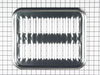
This is a broiler pan for your range. It catches drippings from the cookware, when broiling in the oven. This assembly includes the grill/grate and the bottom pan. These parts are made of porcelain. T...
In Stock
Order now and your part arrives by Mar 19
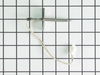
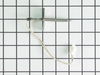
This kit includes the sensor as well as the connectors. NOTE This sensor is 2" long.
In Stock
Order now and your part arrives by Mar 19
$14.65
This screw is black in color and sold individually.
In Stock
Order now and your part arrives by Mar 19
$197.82
In Stock
Order now and your part arrives by Mar 19
This hinge kit is used on the right hand side of the oven door.
No Longer Available
This hinge kit is used on the left hand side of the oven door.
In Stock
Order now and your part arrives by Mar 19
$26.73
This light switch is controlled by opening and closing the oven door
In Stock
Order now and your part arrives by Mar 19

Questions and Answers

Be the first to ask our experts a question about this part!

Common Problems and Symptoms for 91141489890

Viewing 9 of 9
No heat
Fixed by these parts
Fixing Fixing
How to fix it
Won’t turn on
Fixed by these parts
Fixing
How to fix it
Touchpad does not respond
Fixed by these parts
Fixing
How to fix it
Little to no heat when baking
Fixed by these parts
Fixing
How to fix it
Oven not heating evenly
Fixed by these parts
Fixing
How to fix it
Door won’t close
Fixed by these parts
Fixing Fixing
How to fix it
Oven is too hot
Fixed by these parts
Fixing
How to fix it
Element will not heat
Fixed by these parts
Fixing
How to fix it
Little to no heat when broiling
Fixed by these parts
Fixing
How to fix it
Keep searches simple. Use keywords, e.g. "leaking", "pump", "broken" or "fit".
Customer:
Kim from Cliffside Park, NJ
Parts Used:
WB27X10928
Difficulty Level:
Really Easy
Total Repair Time:
15 - 30 mins
Tools:
Screw drivers
Microwave completely stopped working
Turned out the issue was easily solved by replacing a single, inexpensive fuse.

First off, UNPLUG THE MICROWAVE.

The fuse is located under the plastic grill at the top of the microwave. It's held on by two screws. Once you've removed the screws and taken off the plastic grill, you go to the right side of the mic rowave and remove another screw that holds a small metal grill in place. Removing the small metal grill is probably the toughest part of this repair. You kind of have to rock it back and forth a bit to get it to release. Once that's off, you can get to the fuse. I removed the burnt out one with a pair of needle nose pliers. I also put a small piece of cardboard under the fuse when I did this so I didn't accidentally drop it into the innards of the microwave. I did the same thing when I replaced the new fuse. I then plugged the appliance back in and made sure it worked. Once that was confirmed, I replaced both grills.
964 of 1257 people found this instruction helpful.
Was this instruction helpful to you?
Thank you for voting!
Customer:
CHARLA from NEW BRAUNFELS, TX
Parts Used:
WB23X5340
Difficulty Level:
Really Easy
Total Repair Time:
Less than 15 mins
Tools:
Nutdriver
Oven sensor was not holding temperature range.
Per the instructions included with part.
47 of 80 people found this instruction helpful.
Was this instruction helpful to you?
Thank you for voting!
Customer:
David from Richardson, TX
Parts Used:
WB26K5061
Difficulty Level:
Really Easy
Total Repair Time:
Less than 15 mins
Tools:
Nutdriver, Socket set
Replace failed fan in control box
After turning off the breaker to cut power to the oven, I opened the oven door and, using the PartSelect exploded diagram as a guide, I removed 3 screws from the underside of the control panel - I was then able to slide the panel up and out to remove it. Leaving all of the control wires (especially the ribbon) connected to control panel, I saw the fan assembly mounted to the rear of the control box.

I noted the position of the two attached wires - black on top (or left), white on bottom (or right). Using a nutdriver with an extension bar, I unscrewed 4 screws holding the assembly in place. I removed the old fan and installed the new fan in its place. It was necessary to bend the new fan's legs out a bit to get them to line up with the holes. I reconnected the wires as mentioned above, then reinstalled the control panel.

I tested the oven by turning the breaker back on and letting the oven heat up to 450 degrees. The fan turned on as expected. After the oven cooled off, I reinstalled the 3 screws to secure the control panel.
31 of 34 people found this instruction helpful.
Was this instruction helpful to you?
Thank you for voting!