



Models
>
PSB1001NSS01
PSB1001NSS01 General Electric Microwave
Jump to:
Find Part by Name
Keep searches simple, eg. "belt" or "pump".
Diagrams for PSB1001NSS01
Viewing 5 of 5


Manuals & Guides for PSB1001NSS01
Click to downloadInstall
Installation Instructions
(0.71MB)
Install
Installation Instructions
(1.70MB)
Manual
Owner's Manuals
(3.38MB)
Specs
Product Specifications Sheet
(0.24MB)
Care
Use and Care Manual
(3.97MB)
Keep searches simple, eg. "belt" or "pump".
This halogen light bulb is a replacement part for the bulb behind the top grill in your microwave. It is sold individually.
In Stock
Order now and your part arrives by Apr 9
$20.72
This ceramic microwave fuse is just over an inch in length. It is white in the center, and metal on both ends. This is a 20-amp fuse, and is used to power your microwave. If the touch pad on the micro...
In Stock
Order now and your part arrives by Apr 9
In Stock
Order now and your part arrives by Apr 9
$37.49
This switch monitor interlock helps your microwave detect when the door is properly closed. If it’s damaged, the microwave may not start. Replacing it restores safe operation and is a quick fix with basic tools.
In Stock
Order now and your part arrives by Apr 9
In Stock
Order now and your part arrives by Apr 9
$39.63
This diode cable is a replacement electrical component designed to regulate current flow within an appliance circuit. It helps protect sensitive components and is commonly replaced when electrical fau...
In Stock
Order now and your part arrives by Apr 9
In Stock
Order now and your part arrives by Apr 9
$187.39
Genuine OEM magnetron for your microwave. Always use proper safety equipment and follow the manufacturers instructions while installing.
In Stock
Order now and your part arrives by Apr 9
$35.34
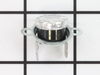
This part will trip once the inside of the cavity overheats and exceeds the recommended temperature.
In Stock
Order now and your part arrives by Apr 9
$55.18
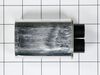
This capacitor delivers the electrical boost required for motors to start and operate efficiently. Proper capacitance reduces strain on motor components and helps prevent startup failures or inconsist...
In Stock
Order now and your part arrives by Apr 9
In Stock
Order now and your part arrives by Apr 9
In Stock
Order now and your part arrives by Apr 9
Questions and Answers
We're sorry, but our Q&A experts are temporarily unavailable.
Please check back later if you still haven't found the answer you need.
- < Prev
- 1
- Next >
Sort by:
Search filter:
Clear Filter
Your search term must have 3 or more characters.
Keep searches simple. Use keywords, e.g. "leaking", "pump", "broken" or "fit".
Sorry, we couldn't find any existing answers that matched.
Try using some different or simpler keywords, or submit your new question by using the "Ask a Question" button above!
Try using some different or simpler keywords, or submit your new question by using the "Ask a Question" button above!
Lenny
March 13, 2024
The system works turns on what does display doesn’t show and also flickers. What’s the fix for this problem thank you.
For model number PSB1001NSS01

Hello Lenny, Thank you for writing. With this information provided, this could be an indication the Display Control Board is faulty and may need to be replaced. Good luck with the repair!
Was this helpful?
Thank you for voting!
Related Parts:
Common Problems and Symptoms for PSB1001NSS01
Viewing 5 of 5No heat
Fixed by these parts


How to fix it
Won’t turn on
Fixed by these parts

How to fix it
Touchpad does not respond
Fixed by these parts


How to fix it
Tray won’t turn
Fixed by these parts


How to fix it
Doesn’t shut off
Fixed by these parts

How to fix it



Keep searches simple. Use keywords, e.g. "leaking", "pump", "broken" or "fit".
- Customer:
- Kim from Cliffside Park, NJ
- Parts Used:
- WB27X10928
- Difficulty Level:
- Really Easy
- Total Repair Time:
- 15 - 30 mins
- Tools:
- Screw drivers
Microwave completely stopped working
Turned out the issue was easily solved by replacing a single, inexpensive fuse.
First off, UNPLUG THE MICROWAVE.
The fuse is located under the plastic grill at the top of the microwave. It's held on by two screws. Once you've removed the screws and taken off the plastic grill, you go to the right side of the mic ... Read more rowave and remove another screw that holds a small metal grill in place. Removing the small metal grill is probably the toughest part of this repair. You kind of have to rock it back and forth a bit to get it to release. Once that's off, you can get to the fuse. I removed the burnt out one with a pair of needle nose pliers. I also put a small piece of cardboard under the fuse when I did this so I didn't accidentally drop it into the innards of the microwave. I did the same thing when I replaced the new fuse. I then plugged the appliance back in and made sure it worked. Once that was confirmed, I replaced both grills.
First off, UNPLUG THE MICROWAVE.
The fuse is located under the plastic grill at the top of the microwave. It's held on by two screws. Once you've removed the screws and taken off the plastic grill, you go to the right side of the mic ... Read more rowave and remove another screw that holds a small metal grill in place. Removing the small metal grill is probably the toughest part of this repair. You kind of have to rock it back and forth a bit to get it to release. Once that's off, you can get to the fuse. I removed the burnt out one with a pair of needle nose pliers. I also put a small piece of cardboard under the fuse when I did this so I didn't accidentally drop it into the innards of the microwave. I did the same thing when I replaced the new fuse. I then plugged the appliance back in and made sure it worked. Once that was confirmed, I replaced both grills.
Read less
Was this instruction helpful to you?
Thank you for voting!
- Customer:
- Robert from Naples, ME
- Parts Used:
- WB25X10019
- Difficulty Level:
- Really Easy
- Total Repair Time:
- Less than 15 mins
- Tools:
- Screw drivers
Under the vent light bulbs needed to be replaced
Turned of f the circuit breaker to the microwave. Unscrewed the cover (1 screw!) popped out the old bulbs and plugged in the new ones, using the bubblewrap as a handle to be sure my skin didn't touch the light bulbs so the oil from my hands didn't damage or shorten the life of the new bulbs. Turned the circuit back on. That's it!
Was this instruction helpful to you?
Thank you for voting!
- Customer:
- Michael from Coulterville, CA
- Parts Used:
- WB21X10148, WB26X32629
- Difficulty Level:
- A Bit Difficult
- Total Repair Time:
- 30 - 60 mins
- Tools:
- Screw drivers
No power to microwave, no heating.
Unpluged power cord!! Removed front control panel to expose electronics (need to remove top horizontal vent cover to expose mounting hardware). Unplugged leads to control panel board. Removed magnetron with Tstat (3- phillip heads, need stubby). Installed new parts and control panel, plugged it in tested. Done.
Was this instruction helpful to you?
Thank you for voting!