



Models
>
JE1540WW01
JE1540WW01 General Electric Microwave
Jump to:
Find Part by Name
Keep searches simple, eg. "belt" or "pump".
Diagrams for JE1540WW01
Viewing 2 of 2

Keep searches simple, eg. "belt" or "pump".
$20.72
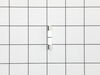
This ceramic microwave fuse is just over an inch in length. It is white in the center, and metal on both ends. This is a 20-amp fuse, and is used to power your microwave. If the touch pad on the micro...
In Stock
Order now and your part arrives by Apr 19
In Stock
Order now and your part arrives by Apr 19
In Stock
Order now and your part arrives by Apr 19
$92.63
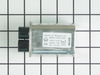
The capacitor is an electric circuit element that is used to store charge temporarily.
In Stock
Order now and your part arrives by Apr 19

Questions and Answers
We're sorry, but our Q&A experts are temporarily unavailable.
Please check back later if you still haven't found the answer you need.
- < Prev
- 1
- Next >
Sort by:
Search filter:
Clear Filter
Your search term must have 3 or more characters.
Keep searches simple. Use keywords, e.g. "leaking", "pump", "broken" or "fit".
Sorry, we couldn't find any existing answers that matched.
Try using some different or simpler keywords, or submit your new question by using the "Ask a Question" button above!
Try using some different or simpler keywords, or submit your new question by using the "Ask a Question" button above!
Peter
May 22, 2022
Comes on but table does not rotate or heat up. All quiet.But if i unplug and re-plug, it works as normal - but only once, then i have to do it again. any ideas??
For model number JE1540WW01

Hello Peter, Thank you for your inquiry. We have researched the model you have provided and we would recommend checking the following parts to fix your issue: the monitor and secondary door switches, the fuse, and the thermal cut out. You can test the parts with a multimeter, and make sure the microwave is unplugged and the capacitor is discharged before working on it. We hope this helps and if you need help placing an order, customer service is open 7 days a week. Please feel free to give us a call. We look forward to hearing from you!
Was this helpful?
Thank you for voting!
Related Parts:
Common Problems and Symptoms for JE1540WW01
Viewing 3 of 3No heat
Fixed by these parts


How to fix it
Won’t turn on
Fixed by these parts
How to fix it
Touchpad does not respond
Fixed by these parts
How to fix it

Keep searches simple. Use keywords, e.g. "leaking", "pump", "broken" or "fit".
- Customer:
- Kim from Cliffside Park, NJ
- Parts Used:
- WB27X10928
- Difficulty Level:
- Really Easy
- Total Repair Time:
- 15 - 30 mins
- Tools:
- Screw drivers
Microwave completely stopped working
Turned out the issue was easily solved by replacing a single, inexpensive fuse.
First off, UNPLUG THE MICROWAVE.
The fuse is located under the plastic grill at the top of the microwave. It's held on by two screws. Once you've removed the screws and taken off the plastic grill, you go to the right side of the mic ... Read more rowave and remove another screw that holds a small metal grill in place. Removing the small metal grill is probably the toughest part of this repair. You kind of have to rock it back and forth a bit to get it to release. Once that's off, you can get to the fuse. I removed the burnt out one with a pair of needle nose pliers. I also put a small piece of cardboard under the fuse when I did this so I didn't accidentally drop it into the innards of the microwave. I did the same thing when I replaced the new fuse. I then plugged the appliance back in and made sure it worked. Once that was confirmed, I replaced both grills.
First off, UNPLUG THE MICROWAVE.
The fuse is located under the plastic grill at the top of the microwave. It's held on by two screws. Once you've removed the screws and taken off the plastic grill, you go to the right side of the mic ... Read more rowave and remove another screw that holds a small metal grill in place. Removing the small metal grill is probably the toughest part of this repair. You kind of have to rock it back and forth a bit to get it to release. Once that's off, you can get to the fuse. I removed the burnt out one with a pair of needle nose pliers. I also put a small piece of cardboard under the fuse when I did this so I didn't accidentally drop it into the innards of the microwave. I did the same thing when I replaced the new fuse. I then plugged the appliance back in and made sure it worked. Once that was confirmed, I replaced both grills.
Read less
Was this instruction helpful to you?
Thank you for voting!
- Customer:
- Ralph from Brandon, FL
- Parts Used:
- WB27X10928
- Difficulty Level:
- Easy
- Total Repair Time:
- Less than 15 mins
- Tools:
- Pliers, Screw drivers
I diagnosed the problem incorrectly: based on a previous repair.
The old fuse is perfectly good. The new ones arrived within a day.
Was this instruction helpful to you?
Thank you for voting!
- Customer:
- Luis from Plano, TX
- Parts Used:
- WB27X1160
- Difficulty Level:
- Easy
- Total Repair Time:
- Less than 15 mins
- Tools:
- Screw drivers, Wrench set
Noise and no Heat on Microwave oven.
First, I waste $65 by calling some "REPAIR" service. They showed at home and charge me that just to tell me
Second, I researched on the web and ordered a part, which was not the issue. I waste abnother $72
Third, I found Part-Select and got the right answer: the Diode was the problem. Ordered the part form Part-Select and it FIx ... Read more ed it !!!
Note: I did not buy a new microwave because this one is mounted on the wall and it will cost me +$800 just the lowest price.
Second, I researched on the web and ordered a part, which was not the issue. I waste abnother $72
Third, I found Part-Select and got the right answer: the Diode was the problem. Ordered the part form Part-Select and it FIx ... Read more ed it !!!
Note: I did not buy a new microwave because this one is mounted on the wall and it will cost me +$800 just the lowest price.
Read less
Was this instruction helpful to you?
Thank you for voting!