



Models
>
FGMV173KBB
FGMV173KBB Frigidaire Microwave
Jump to:
Find Part by Name
Keep searches simple, eg. "belt" or "pump".
Diagrams for FGMV173KBB
Viewing 4 of 4


Manuals & Guides for FGMV173KBB
Click to downloadInstall
Installation Instructions
(4.30MB)
Manual
Owner's Manuals
(12.06MB)
Wiring
Wiring Diagram
(0.41MB)
Keep searches simple, eg. "belt" or "pump".
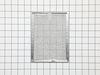
$48.21
This aluminum filter helps keep your microwave’s exhaust system clean by catching grease while you cook. It’s about 7-7/8 inches wide and 5-7/8 inches deep, so be sure to measure your old one before o...
In Stock
Order now and your part arrives by Apr 10
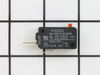
$70.05
The relay switch may also be known as the door micro switch and is a part for your microwave. The function of this part is to monitor the door latch and communicate whether the door latch is open or c...
In Stock
Order now and your part arrives by Apr 10
Special Order

In Stock
Order now and your part arrives by Apr 10
In Stock
Order now and your part arrives by Apr 10
$54.12
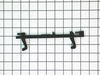
This black door latch enables the switches to make sure that the door is closed before it operates.
In Stock
Order now and your part arrives by Apr 10
$82.21
Mounting hardware sold separately. This part has been redesigned by the manufacturer and may appear different then the original.
In Stock
Order now and your part arrives by Apr 10
In Stock
Order now and your part arrives by Apr 10
In Stock
Order now and your part arrives by Apr 10
Special Order
Special Order
Questions and Answers
We're sorry, but our Q&A experts are temporarily unavailable.
Please check back later if you still haven't found the answer you need.
- < Prev
- 1
- Next >
Sort by:
Search filter:
Clear Filter
Your search term must have 3 or more characters.
Keep searches simple. Use keywords, e.g. "leaking", "pump", "broken" or "fit".
Sorry, we couldn't find any existing answers that matched.
Try using some different or simpler keywords, or submit your new question by using the "Ask a Question" button above!
Try using some different or simpler keywords, or submit your new question by using the "Ask a Question" button above!
Tom
October 25, 2021
Display works, wont turn on
For model number FGMV173KBB

Hi Tom,
Thank you for your question. If your microwave will not turn on, the part that fixes the issue most of the time are the door switches. The door switches, often referred to as primary or secondary interlock switches, provide power to the various components in the microwave when the door is closed, and interrupt power when the door is open. Sometimes it is possible that when a door switch fails, the display and controls may appear normal, but the oven won’t operate. The interlock switches are located inside the cabinet and are activated by hooks or latches on the door. Unplug the unit and remove the cabinet. The interlock switches will have wires attached to the terminals that are marked common (C) and normally open (NO). You can check the switches for continuity using a multimeter. With the actuator button depressed, you should see continuity between these terminals. If there is no continuity the switch will need to be replaced. You should also verify that the door hooks properly engage the switch actuator when the door is closed and adjust or replace it if necessary. If the door switches are fine, you will also need to check the thermal fuse. Microwave ovens use one or more thermal cut-outs, sometimes called thermal fuses, to protect the oven from overheating. They are located inside of the cabinet, often near the oven cavity or the magnetron. If the thermal cut-out fails, power is interrupted to the controls or to the control outputs. Unplug the unit and remove the cabinet. Locate the thermal fuse or cut-out and remove the wires from the terminals. Check it for continuity with a multimeter and replace the part if no continuity is shown. Verify that the cooling fan is functional and that the air flow is not restricted. We hope this helps! Good luck with the repair!
1 person found this helpful.
Was this helpful?
Thank you for voting!
Related Parts:
Common Problems and Symptoms for FGMV173KBB
Viewing 4 of 4No heat
Fixed by these parts


How to fix it
Won’t turn on
Fixed by these parts
How to fix it
Door not closing properly
Fixed by these parts


How to fix it
Tray won’t turn
Fixed by these parts

How to fix it
Keep searches simple. Use keywords, e.g. "leaking", "pump", "broken" or "fit".
- Customer:
- Tim from Chicago, IL
- Parts Used:
- 5304493153
- Difficulty Level:
- Easy
- Total Repair Time:
- 30 - 60 mins
- Tools:
- Screw drivers
Timer would run but the microwave won't start
I first removed the top plate above the microwave door (3 screws), then I removed the plate containing the buttons and clock. The microwave has 3 relay switches and they are in a little holder. The holder was too difficult to remove so I just removed the bottom switch and replaced. The microwave started right up.
Was this instruction helpful to you?
Thank you for voting!
- Customer:
- steve from New Bern, NC
- Parts Used:
- 5304440021
- Difficulty Level:
- Really Easy
- Total Repair Time:
- 15 - 30 mins
- Tools:
- Screw drivers
Turntable stoped working
Removed the 3 screws to drop the lower panel and, removeed the turn table plate and ring. Then removed the 2 screws holding the motor, the 2 wires attached to the motor and removed the old motor.Replaced the new motor in the reverse order. DO NOT FORGET TO UNPLUG THE MICROWAVE FIRST.
Was this instruction helpful to you?
Thank you for voting!
- Customer:
- Steve from Moorhead, MN
- Parts Used:
- 5304493153
- Difficulty Level:
- Easy
- Total Repair Time:
- Less than 15 mins
- Tools:
- Pliers, Screw drivers
microwave wouldn't turn on but timer worked.
was told buy a repair person to check the door micro switches as it was a common problem. removed the top plastic air grill to get access to the screw that holds in place the control cover. After unplugging the unit, i took out the (2) screws that held in the switches and removed them (3). One switch was a bit melted so i tested it with a
... Read more
12 volt battery and it was bad. Ordered a new one from Part select and got it fast . Works great .
Read less
Was this instruction helpful to you?
Thank you for voting!