




Models
>
FPMO227NUFA
FPMO227NUFA Frigidaire Microwave
Jump to:
Find Part by Name
Keep searches simple, eg. "belt" or "pump".
Diagrams for FPMO227NUFA
Viewing 4 of 4


Keep searches simple, eg. "belt" or "pump".
In Stock
Order now and your part arrives by Apr 6
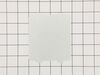
$20.72
This microwave waveguide cover, also known as a stirrer blade cover, is an essential component for maintaining optimal cooking performance. It protects internal parts from food splatter while allowing...
In Stock
Order now and your part arrives by Apr 6
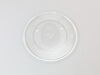
$134.53
This glass turntable tray rotates food for even cooking and fits many microwaves from the Electrolux family of brands. It’s made from durable, heat-resistant glass and measures about 16.5 inches in di...
In Stock
Order now and your part arrives by Apr 6
In Stock
Order now and your part arrives by Apr 6

In Stock
Order now and your part arrives by Apr 6
In Stock
Order now and your part arrives by Apr 6

In Stock
Order now and your part arrives by Apr 6

In Stock
Order now and your part arrives by Apr 6

In Stock
Order now and your part arrives by Apr 6

Special Order
In Stock
Order now and your part arrives by Apr 6
Questions and Answers
We're sorry, but our Q&A experts are temporarily unavailable.
Please check back later if you still haven't found the answer you need.
Common Problems and Symptoms for FPMO227NUFA
Viewing 2 of 2

Keep searches simple. Use keywords, e.g. "leaking", "pump", "broken" or "fit".
- Customer:
- Donald from BROWNSVILLE, TX
- Parts Used:
- 5304519365
- Difficulty Level:
- A Bit Difficult
- Total Repair Time:
- 30 - 60 mins
- Tools:
- Screw drivers
Lcd display died .
First problem was there are a lot of different enclosures for NUFA models. After much research, I found a video of a smaller countertop micro that had the same screw pattern as my large Gallery over the stove unit. For my micro, you remove the screws on the back, one screw on the left side, and the entire cover lifts off. I then discharg
... Read more
ed the capacitor using a pair of insulated needle nosed pliers, and took a picture so I could replug everything correctly. Then removed all of the connectors and one screw holding the board in place, and removed the old board. After that, I just did everything in reverse, and plugged it in. Voila! I was finished. It was a very simple job once I found how to access the control board. Hope this helps, and my thanks for the prompt parts delivery.
Don Crow
Don Crow
Read less
Was this instruction helpful to you?
Thank you for voting!