




Models
>
PHP9030DJ5BB
PHP9030DJ5BB General Electric Cooktop
Jump to:
Find Part by Name
Keep searches simple, eg. "belt" or "pump".
Diagrams for PHP9030DJ5BB
Viewing 1 of 1
Keep searches simple, eg. "belt" or "pump".

In Stock
Order now and your part arrives by Mar 26
In Stock
Order now and your part arrives by Mar 26
In Stock
Order now and your part arrives by Mar 26
In Stock
Order now and your part arrives by Mar 26

In Stock
Order now and your part arrives by Mar 26
In Stock
Order now and your part arrives by Mar 26
In Stock
Order now and your part arrives by Mar 26
In Stock
Order now and your part arrives by Mar 26

Special Order

In Stock
Order now and your part arrives by Mar 26
In Stock
Order now and your part arrives by Mar 26
Special Order
Questions and Answers
We're sorry, but our Q&A experts are temporarily unavailable.
Please check back later if you still haven't found the answer you need.
Keep searches simple. Use keywords, e.g. "leaking", "pump", "broken" or "fit".
- Customer:
- Sean Weeks C/O Tyler from SNYDER, TX
- Parts Used:
- WB62X38586
- Difficulty Level:
- Easy
- Total Repair Time:
- 30 - 60 mins
Cooktop Glass was broken
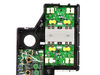
First, I disconnected the power, unwired the unit, and lifted it out of the counter by using a knife to cut the foam tape located between the glass and the counter. Next, I placed in upsidedown on the floor which was covered with a soft blanket. Then I removed the screws to lift off the cover. I removed the cables from the circuit board o
... Read more
n the broken glass. I removed the double-sided tape between the glass and the unit. I replaced the double-sided tape. I installed the new glass, re-attached the wires and the screws. I put fresh foam tape around the outside. I put the cooktop back into the counter and re-attached the wiring, and turned on the breaker.
Important: When the cooktop powered on, you must select the GUI mode (A1 A2 C1 or C2) corresponding to your cooktop model, then press Enter for 7 seconds to lock it in or else it will not work. Once that was done, it works great.
Important: When the cooktop powered on, you must select the GUI mode (A1 A2 C1 or C2) corresponding to your cooktop model, then press Enter for 7 seconds to lock it in or else it will not work. Once that was done, it works great.
Read less
Was this instruction helpful to you?
Thank you for voting!
- Customer:
- Donald E from SALEM, AL
- Parts Used:
- WB01X24570
- Difficulty Level:
- Easy
- Total Repair Time:
- 30 - 60 mins
- Tools:
- Nutdriver, Pliers, Screw drivers
Installing new cooktop in an island
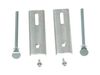
The included brackets would not work, so I ordered the alternate installation kit from this site and it made the job go easy.Thanks
Was this instruction helpful to you?
Thank you for voting!