




Models
>
BHD-301
BHD-301 Dehumidifier
Jump to:
Find Part by Name
Keep searches simple, eg. "belt" or "pump".
Models for BHD-301
Click on the best match to narrow your results.
- BHD-301 (TD301ELA1) LG Dehumidifier
- BHD-301 (UD301ELA0) LG Dehumidifier
- BHD-301 Whirlpool Dehumidifier (Whirlpool Dehumidifier Bhd-301)
- BHD-301-A LG Dehumidifier (LG Dehumidifier Model BHD-301-A (BHD301A, BHD 301 A) Parts)
- BHD-301-B LG Dehumidifier (LG Dehumidifier Model BHD-301-B (BHD301B, BHD 301 B) Parts)
- BHD-301-C (TD301ELA4) LG Dehumidifier
- BHD-301-C (TD301ELA3) LG Dehumidifier
- BHD-301-D LG Dehumidifier
- BHD-301-E (TD301EEA7) LG Dehumidifier
- BHD-301-E (TD301EEA6) LG Dehumidifier
Keep searches simple, eg. "belt" or "pump".
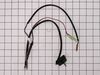
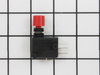
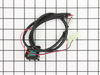
This is a genuine OEM replacement part sourced directly from LG. This sensor assembly is most often used in dehumidifiers. Models that use electronic control boards use this sensor assembly to measure...
No Longer Available


Common Problems and Symptoms for BHD-301
Viewing 2 of 2Unit says bucket is full when it isn’t
Fixed by these parts


How to fix it
Won’t stay on
Fixed by these parts
How to fix it
Keep searches simple. Use keywords, e.g. "leaking", "pump", "broken" or "fit".
- Customer:
- Thomas from NEWPORT, RI
- Parts Used:
- 6877A30013L
- Difficulty Level:
- Easy
- Total Repair Time:
- 30 - 60 mins
- Tools:
- Screw drivers
Says bucket full when it was not
The forums indicate that one solution for this problem is replacement of the sensor assembly, which is what I did. Upon switching the sensor assembly it DID work for one bucket full, but then went back to indicating bucket full when it isn't. Other fixes indicate changing the switch assembly, which I tried to do but the part has been disc
... Read more
ontinued. The only other item is replacement of the main computer, which the cost added to the cost of the sensor assembly would equal the cost of replacement of the appliance, so I won't go there.
Read less
Was this instruction helpful to you?
Thank you for voting!
- Customer:
- Judy from EVANSTON, IL
- Parts Used:
- 6877A30013L
- Difficulty Level:
- Easy
- Total Repair Time:
- 30 - 60 mins
- Tools:
- Pliers, Screw drivers
Machine would come on for a minute, then stop with message CR1
Googled message to see that it was probably the sensor or the bucket full button. The bucket button is no longer made, but the sensor was available, so I gambled and bought it to try. We removed the outer housing and old sensor. then replaced new sensor putting it in same place and following the path of the old one to plug in wires. th
... Read more
e whole housing had to be removed, could not just remove a section. Once replaced, plugged in to test, seemed to work. so replaced all the housing and screws. Unit is working again. Definitely worth the gamble, bc a tech would have been 3-4 times more expensive. My tenant was also confidant about being able to replace the sensor. After we did it, I think I could have done it too.
Read less
Was this instruction helpful to you?
Thank you for voting!
- Customer:
- Seif from DETROIT, MI
- Parts Used:
- 6877A30013V
- Difficulty Level:
- Easy
- Total Repair Time:
- 30 - 60 mins
- Tools:
- Pliers, Screw drivers
bucket full light constantly blinking with error code 01 on the display
Unscrew and detached front and back panels, and inside framework holding the sheet metal to the body, after removing the sheet metal, unscrew the box enclosing the control board, use needle nose pliers to unhook the sensor module from the board and place the new sensor into the spots where the old sensor was connected (thermostat area, hu
... Read more
midity Sensor, bucket switch, and control board). Close up the unit and your good to go.
Read less
Was this instruction helpful to you?
Thank you for voting!